Chrome extension · launching soon

This month's invoices, one click.

BillSweep opens the billing pages you are already signed in to, collects the month's invoice PDFs, reads the amount and VAT out of each one, and hands you a ZIP, a CSV and the monthly total your accountant keeps asking for.

The Chrome Web Store listing opens next. Waitlist members hear first and get the founding price.

  • No inbox access
  • No portal passwords
  • Your PDFs never leave your browser
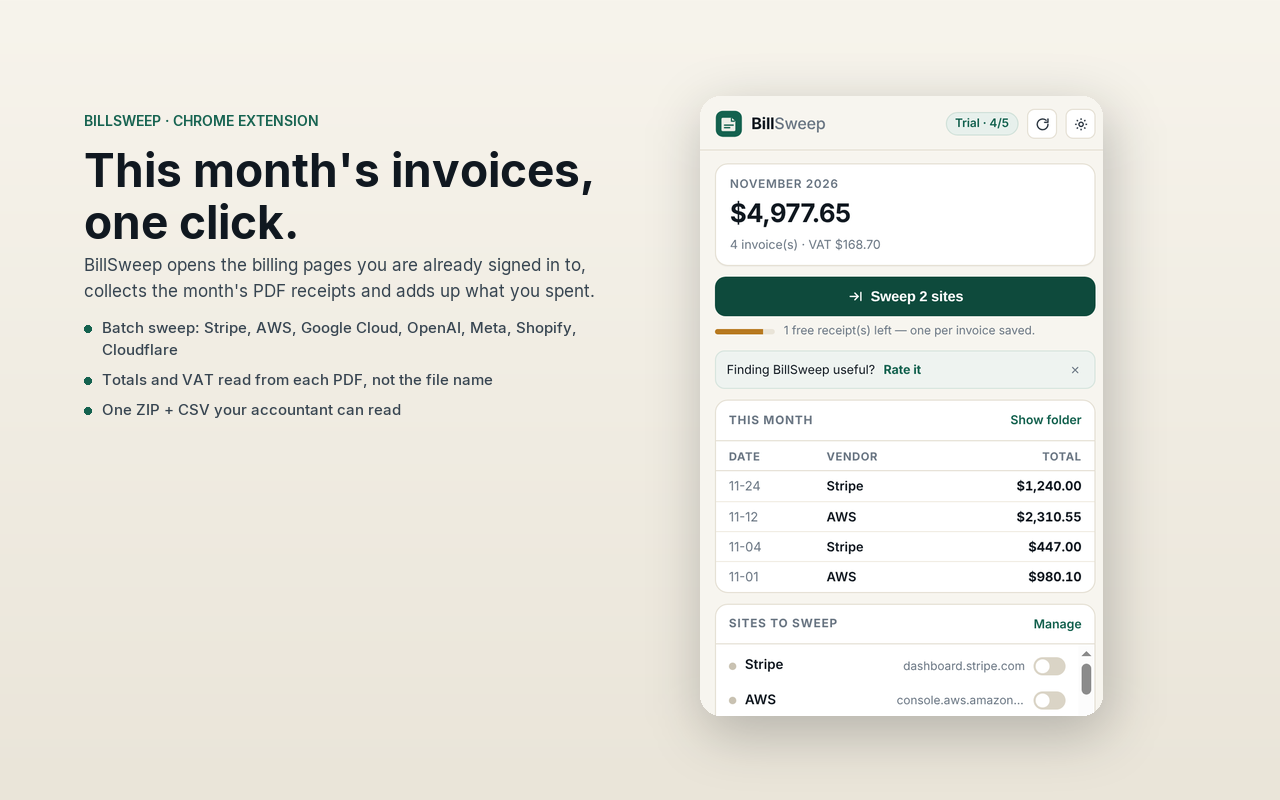
5 invoices · 2 sites · one press
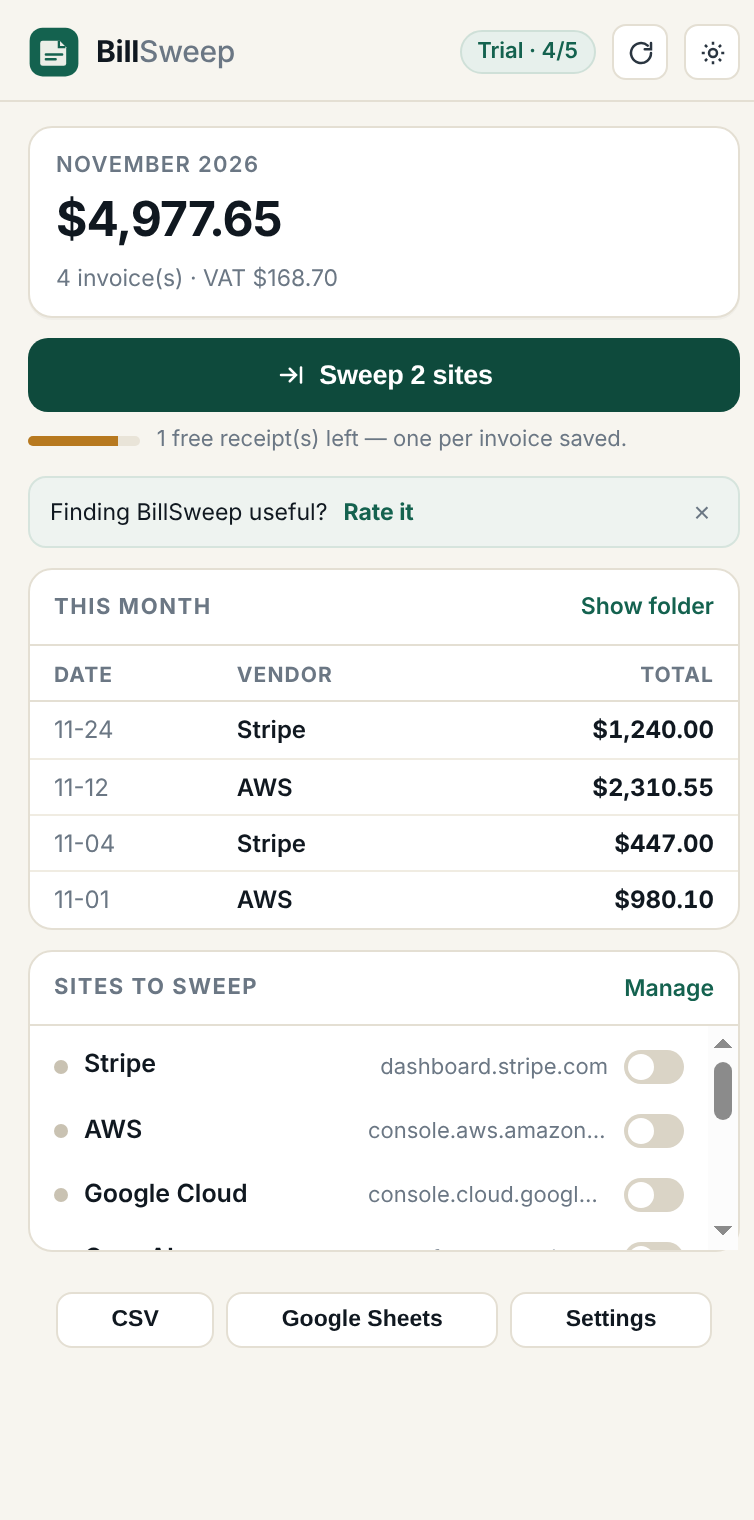
BillSweep popup showing $4,977.65 collected from four invoices in November 2026
Downloads / BillSweep / 2026-11
▦2026-11-24_Stripe_1240.00_USD.pdf
▦2026-11-12_AWS_2310.55_USD.pdf
▪expenses.csv
▪SUMMARY.txt

The end of every month

Five portals, five logins, one spreadsheet that is still empty.

01

The download crawl

Stripe, AWS, Google Cloud, OpenAI, Meta, Shopify. Each one hides its invoices three clicks deep, and the file names are random strings.

02

The typing

You open each PDF to read the total and the VAT, then type both into a sheet. Twelve receipts later, the numbers no longer reconcile.

03

The question

“Can you send me November, with the VAT split?” arrives on the 3rd. What your accountant needs is one folder and one total.

How it works

Three minutes to set up, one press every month.

BillSweep is a Chrome extension: no desktop app, no account to log into while it runs, no file uploaded anywhere.

1
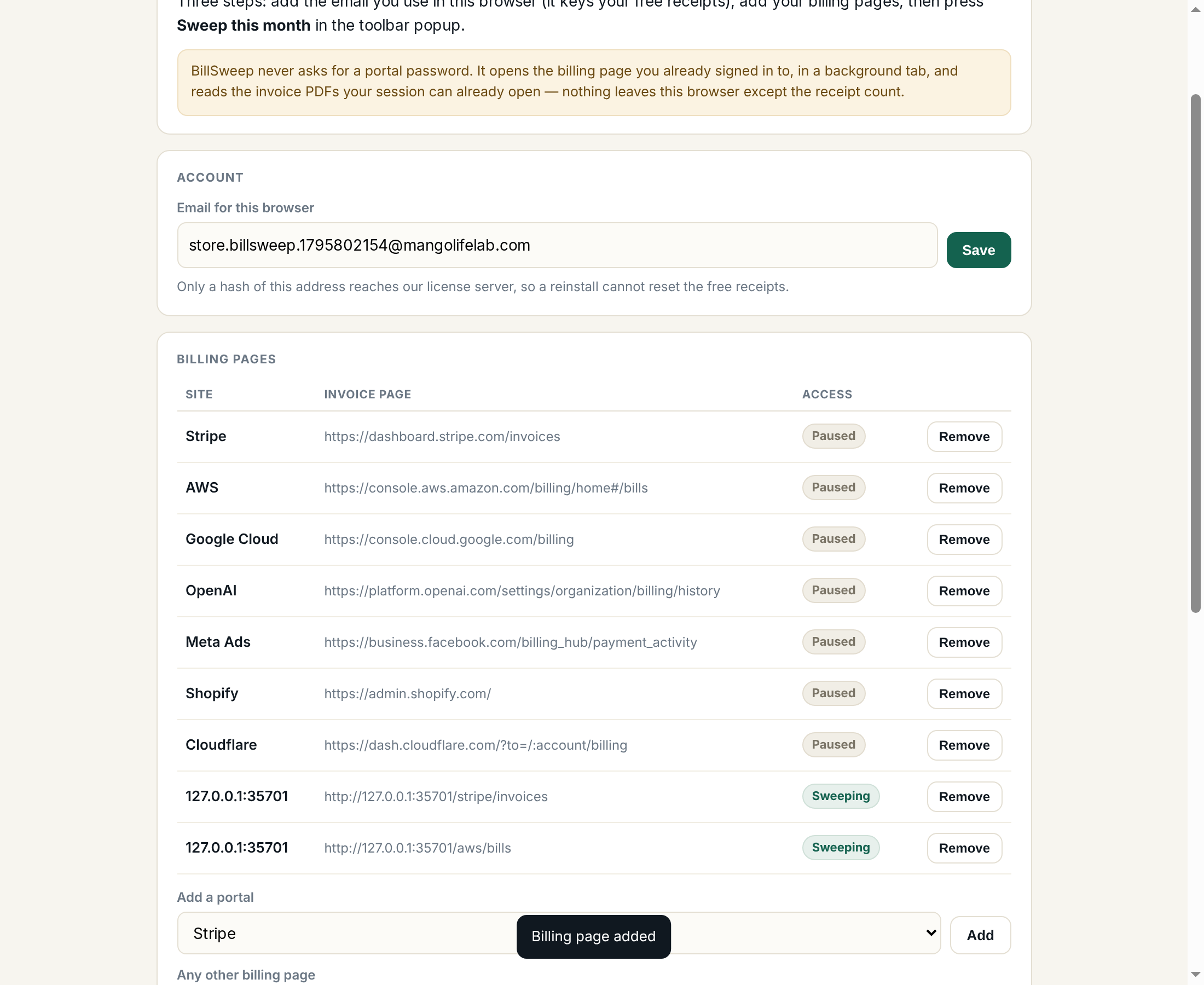
BillSweep settings page listing billing pages with per-site access

Add your billing pages

Pick from Stripe, AWS, Google Cloud, OpenAI, Meta, Shopify and Cloudflare, or paste any billing page URL. Chrome asks you once per site.

2
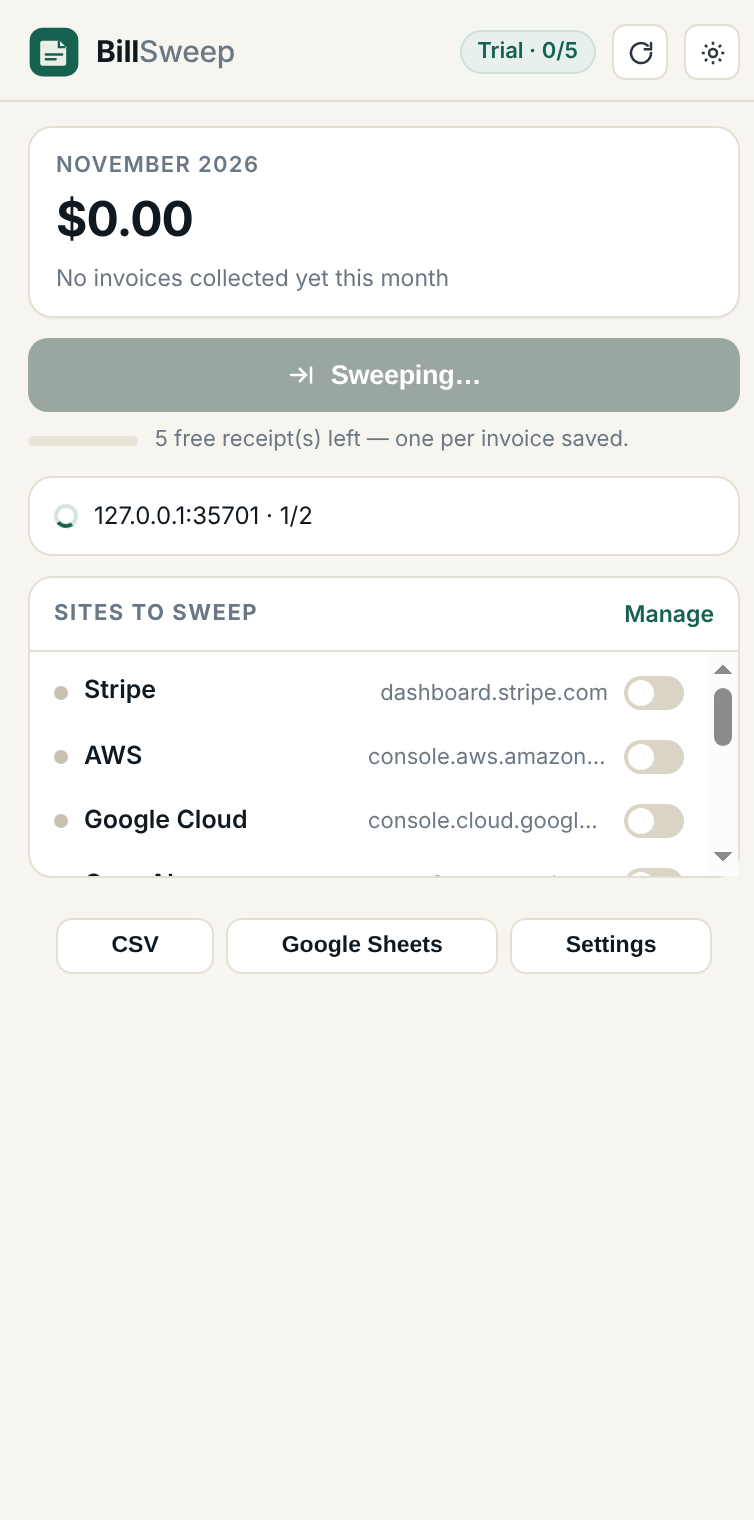
BillSweep sweeping billing pages in background tabs

Press Sweep

Each page opens in a background tab with your own session, the invoice PDFs are fetched, and the tabs close again.

3
BillSweep result: monthly total, invoice list and exports

Take the month

The popup shows the total and each invoice. The ZIP, CSV and summary are already in Downloads/BillSweep.

Batch sweep

Ten portals are still one press.

Most invoice helpers scan the page you are looking at. BillSweep works through the list you set up, in background tabs, in the session you already have.

  • Presets for the seven portals most teams pay, plus any URL
  • Background tabs open and close on their own
  • Only this month's invoices are kept; October stays where it is
BillSweep popup with the month's total and per-invoice rows

Amounts, not file names

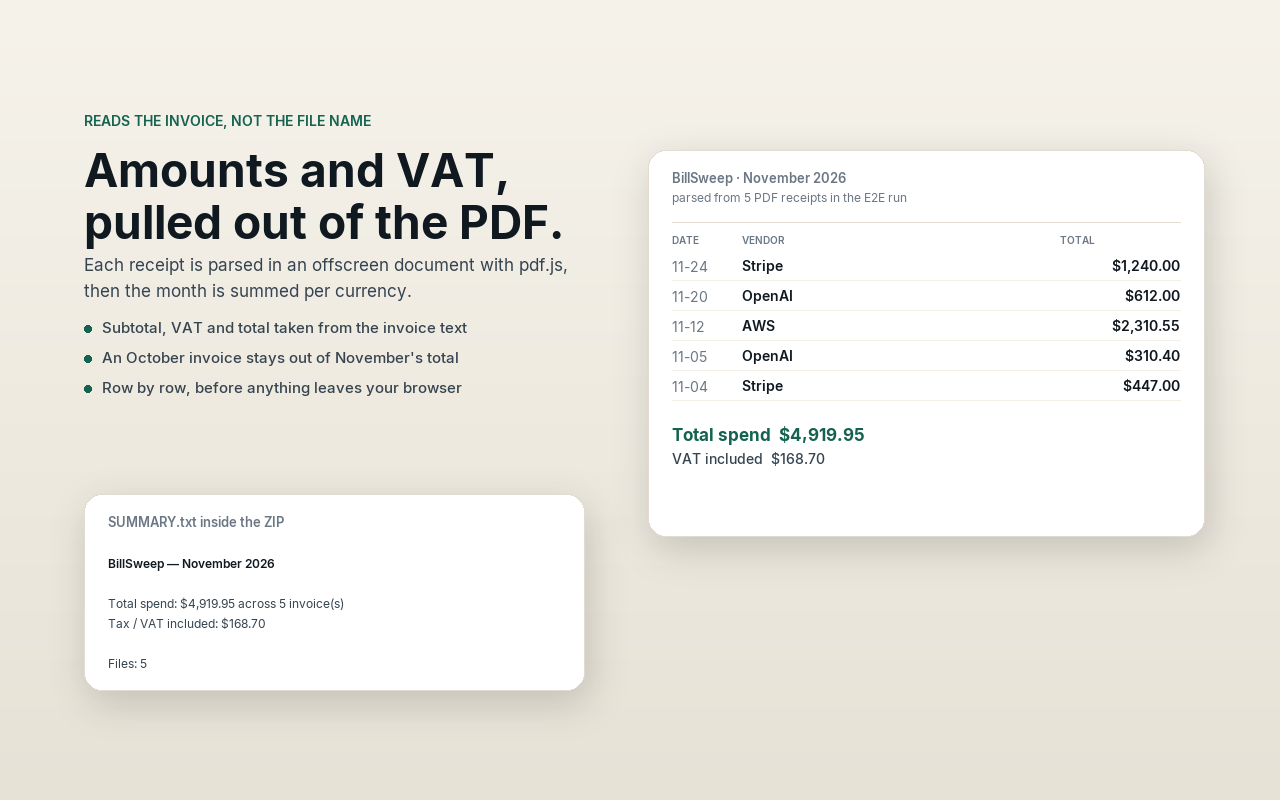
The total and the VAT are read out of the PDF.

Every receipt is parsed in an offscreen document with pdf.js: invoice number, date, subtotal, tax and total. The month is summed per currency, and a receipt that cannot be read is saved anyway so nothing disappears.

  • Works with the PDFs Stripe, AWS and Google actually issue
  • VAT/GST split, so the number matches your bookkeeping
  • Rows are shown before anything is exported
BillSweep parsed invoice table with total spend and VAT

Hand-off

One folder your accountant can open.

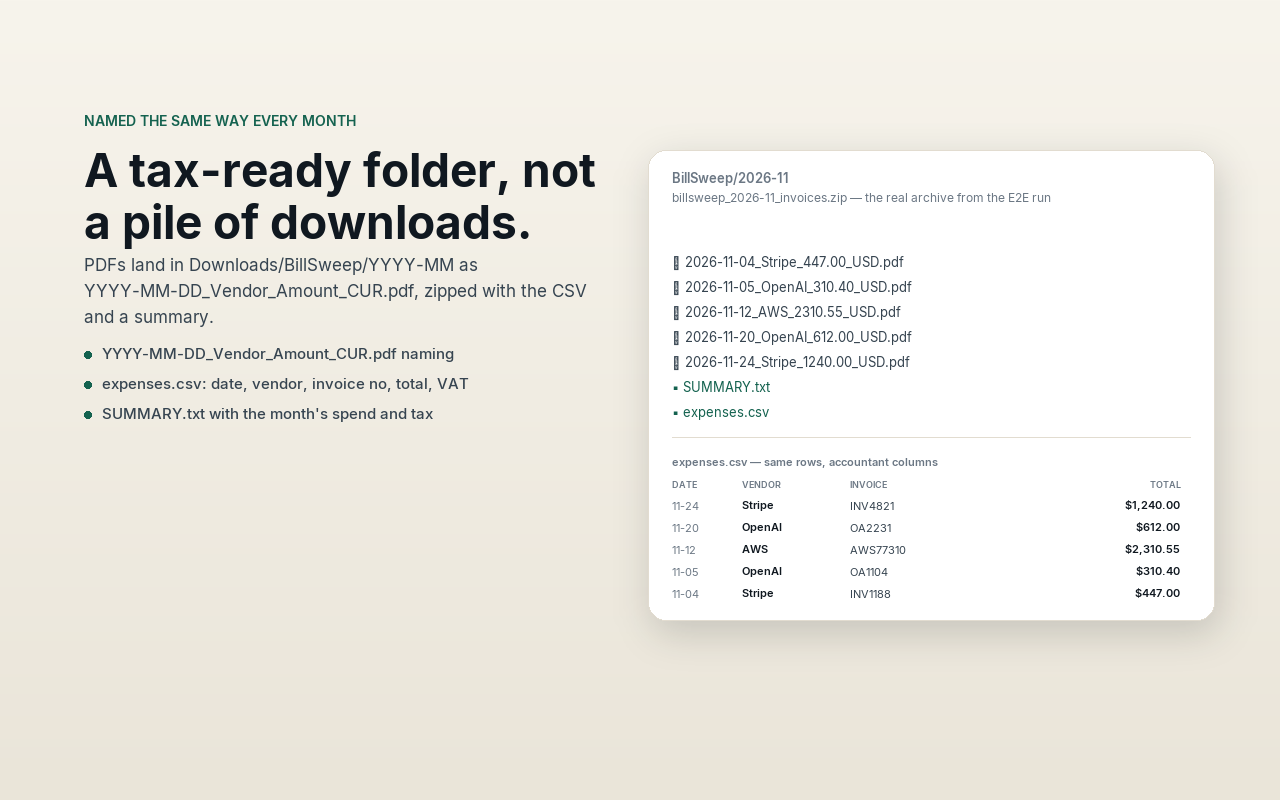
Files are named YYYY-MM-DD_Vendor_Amount_CUR.pdf inside Downloads/BillSweep/YYYY-MM, zipped with expenses.csv and SUMMARY.txt. Pro also copies the month's rows for a blank Google Sheet in one click.

  • ZIP: the PDFs, the CSV and the summary together
  • CSV columns: date, vendor, invoice no, currency, total, VAT
  • Google Sheets: rows on your clipboard, blank sheet opened
BillSweep ZIP contents with PDF names, expenses.csv and summary

Where it sits

The invoice tools that exist, measured today.

Numbers below were read off the Chrome Web Store listings on 28 November 2026 and are quoted as they appear there.

BillSweep Tailride Invoice Batch Downloader Export Emails to Sheets
Store installslaunching2,000 users14 users40,000 users
Ratingnew5.0 (4 ratings)5.0 (1 rating)4.1 (157 ratings)
Collects from many billing pages in one runYes, up to 40YesNo — one page at a timeNo — reads Gmail
Reads the amount and VAT from each PDFYes, every receiptOrganises, does not totalNo — ZIP and rename onlyParses email bodies
Monthly total per currencyIn the popup, ZIP and CSVIn the Tailride dashboard——
Account or sign-in needed to runNoYes, Tailride accountNoYes, cloudHQ account
Inbox permissionNoneNoneNoneFull Gmail access
Where the files goYour Downloads folderTailride cloud, Drive or OneDriveYour Downloads folderGoogle Sheets and Drive
Price$9/mo or $19/mo · top-ups from $5Subscription tiers$19.99 one-timeSubscription tiers
Free tier5 receipts, no cardFree plan with invoice limits5 downloads, max 3 per batchBasic plan

BillSweep's difference is narrow and deliberate: it is the only one of these that sweeps several billing pages in one press and turns the PDFs into a monthly total with the VAT split — locally, without an inbox scope or an account.

Pricing

Priced per receipt, not per seat.

A receipt is one invoice saved. Nothing is charged while the store listing is pending — the buttons below join the waitlist.

Free
$0
Try it on a real month. No card, no account.
  • 5 receipts in total
  • Up to 3 billing pages
  • ZIP + CSV
Join the waitlist
Founding price
Solo
$9/mo
For a freelancer or a small studio with a handful of tools.
  • 60 receipts a month
  • Up to 5 billing pages
  • ZIP + CSV + summary
  • $70.20 a year (35% off)
Join the waitlist
Pro
$19/mo
For a team whose invoices live in ten portals and two currencies.
  • 300 receipts a month
  • Up to 40 billing pages
  • Everything in Solo
  • Google Sheets hand-off
  • $148.20 a year (35% off)
Join the waitlist
Top-up
$5 / $12
One-off tickets when a quarter closes heavy — no plan change.
  • $5 adds 50 receipts
  • $12 adds 150 receipts
  • Valid on any plan
Join the waitlist

Receipts are counted per saved invoice. The free five are tied to your email on our server, so uninstalling and installing again does not reset them; a paid month resets on the 1st. Annual prices are billed once a year.

Questions

What people ask before installing.

Does it read my email?

No. BillSweep has no mailbox permission of any kind and never asks for one. It sits on the billing pages you add and reads the invoice PDFs your browser session can already open.

Do I have to give it my portal passwords?

Never. It uses the session you already have in that Chrome profile. If a portal asks you to sign in, sign in yourself in that tab and press Sweep again.

Which portals work?

Presets for Stripe, AWS, Google Cloud, OpenAI, Meta Ads, Shopify and Cloudflare. Any other billing page works if it links its invoices as PDFs or offers a “Download PDF” link — add the URL and BillSweep scans that page.

What if an invoice is not a PDF?

The file is skipped and counted in the run summary, so you know which portal needs a look. Screenshot-only receipts and HTML invoices are not parsed in this version.

Where do my files go?

Into your own Downloads folder: Downloads/BillSweep/YYYY-MM/. Nothing is uploaded. The only thing that reaches our server is a hash of your email and the number of receipts used, so the free tier cannot be reset.

How does the Google Sheets export work?

Pro copies the month's rows to your clipboard and opens a blank sheet in a new tab; one paste fills it. No Google account is connected to BillSweep and no file is uploaded.

What happens if I reinstall or move to a new PC?

Your free receipts stay used, because they are counted on our server against your email. Your sites and settings live in the browser you installed it in, so on a new PC you add the billing pages again — about a minute with the presets.

Can I use it offline?

No: it needs the portals reachable, and it checks your receipt balance with our server before a run. Everything it collects stays local.

Does it work in Edge, Brave or Arc?

Any Chromium browser that installs from the Chrome Web Store runs the same build. The per-site permission prompt looks slightly different in each.

What about refunds?

The plan terms, refund window and privacy policy are the ones on mangolifelab.com/refund, /terms and /privacy. Write to support@mangolifelab.com and a person answers.
Be there when the listing opens.

One email when BillSweep passes Chrome Web Store review, with the founding price and nothing else.

Join the waitlist